Homestead
 This article is about the customizable personal housing feature introduced in Guild Wars 2: Janthir Wilds. For the instanced area related to the Personal Story, see Home Instance.
 “Your journeys will lead you to your own homestead, an account-wide personal housing instance for you to develop as you complete its associated Mastery. Homesteads present you with an area of land and a permanent structure to increase your comfort level through various activities such as harvesting nodes, tending a garden, fishing, swimming, chopping trees, watching cats do cat things, and much more.
Customization is at the heart of the Homesteads feature, so you can decorate the homestead – inside and out! New and existing decorations will be craftable through the new personal scribing crafting discipline. Additionally, your homestead includes a stable for your mounts, bringing them into the space with you. Alt characters will also be making an appearance, adding another personal touch to each homestead.
The homestead is an account-wide personal housing system introduced with Janthir Wilds. It features structures and resources available for players to upgrade and customize.[1]
Getting there[edit]
— Unlock pop-up during the Home Sweet Home chapter |
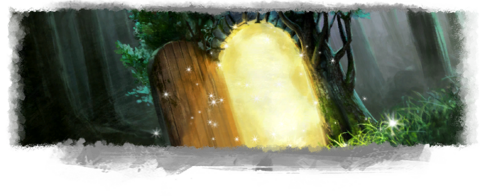

- Primary article: Conjured Doorway
- Players can place then enter a Conjured Doorway using the Summon Conjured Doorway mastery skill, unlocked during the Home Sweet Home chapter of the Janthir Wilds story.
- The skill can be activated by one of the following methods:
- Clicking on its icon in the Mastery Skill pop-up menu.
- Using its own keybind "Conjured Doorway" (unassigned in the Control Options by default).
- Using "Activate Mastery Skill" keybind (default J) after setting "Summon Conjured Doorway" as the active skill by right-clicking it in the Mastery Skill menu.
- The skill cannot be activated under certain conditions.
- The skill can be activated by one of the following methods:
- Players in the group can be invited to join a homestead when the instance owner travels through the "Conjured Doorway".[2]
- It is also possible to join from any map by right clicking on the instance owner in the party menu.
- It is not required to own Guild Wars 2: Janthir Wilds to join a homestead instance.
- It is not possible to visit when the instance owner is from different regions.
- It is not possible to visit when the instance owner is not in the homestead.[2]

“Your conjured doorway acts as a public invite for others to join your party.
— in-game hint
Changing homesteads[edit]
- Players can relocate their homestead by speaking to the Homestead Master, such as Deft Lahar in Hearth's Glow, and choosing "I'd like to change my active Homestead plot."
Available homesteads[edit]
| Plot name | Unlocking and unique features | |
|---|---|---|
 Hearth's Glow Hearth's Glow
|

|
|
 Comosus Isle Comosus Isle
|

|
|
Basic features[edit]
Homesteads present players with an area of land that can be customized with decorations and serve as a personal space for players to hang out and showcase their mounts, characters, cats, and decorating skills.
Homesteading features[edit]
- Characters left in the homestead will gain a resting bonus that grants bonus PvE experience and PvP/WvW reward track progress. This bonus can be upgraded through the Homesteading mastery track.
- Players can interact with Homestead Master to change homestead options, but changes will reset to default upon leaving the instance.
- The instance features a day/night cycle, but players can manually toggle it using Homestead Master's dialogue option.[2]
- Fall damage, mounting, and gliding can be toggled using the movement options dialogue.
- It is possible to toggle the presence of ambient wildlife.
- A Handiwork Workbench is present in the workshop and is used to craft decorations.
- Since it is a crafting station, it can also be used to access the Bank and Material Storage.
Leaving the homestead[edit]

- Leaving the instance via the user interface ("Click to leave the instance") will return you to your exact previous location before entering the homestead.
- Portals connected to the outside world including:
- Lion's Arch
- The Wizard's Tower (If Hell Breaks Loose has been completed)
- A zone in the homestead's region:
- Hearth's Glow: Lowland Shore
- Comosus Isle: Shipwreck Strand (unlocked after completing the Unscheduled Departures story chapter)
Alt characters[edit]
- Players can place their characters in the homestead by logging out while in the instance.[3]
- Regardless of the total placed in the homestead, only 30 random characters will be visible while in the homestead.
- The instance owner can instruct characters to "Follow/Stay", but they will return to several default locations upon next entry.
- If multiple characters are instructed to "Follow", they will attempt to align themselves symmetrically in a row on either side of the player (up to 12 on each side) when standing still.
Customization[edit]
Decorations[edit]

- Primary article: Decoration#Decorating, for the decoration gallery: Decoration/Homestead
- By default, a homestead can hold up to 1,000 decorations. This limit can be increased through the following methods:
- +500 by training to Grandmaster Handiworker Crafting
- +500 by purchasing the 5 Homestead Decoration Limit Increases (+100 each).
- With all available upgrades, the current maximum decoration limit is 2,000.
- There are several decoration-related options available. These can be accessed by clicking on the gear icon, above the Decorating/Stop Decorating button:
- Clear All Decorations — Clear all decorations from the instance at once, including the default decorations.
- Restore Homestead — Restore the instance to its default form, placing all the default decorations back in their original place.
- Enable Party Decoration — Enable the decorating mode for players in the same party. By giving this permission, all the players can place, modify, or erase decorations.
- Enable Party Layout Saving — By giving this permission, all the players can save the current decorated of owner's homestead.
- Load/Save Layout — Open the Homestead Layouts UI panel, the decorations layouts are stored locally on your computer as the XML file format. For further information see, Homestead#Layouts.
- Decorations have to be crafted at the Handiwork Workbench through the Handiworker crafting discipline.
- The recipes will generally require new resources obtained through refining ore, logs, and plant materials[3] at refinement stations in the instance.
- The decorations will be immediately stored in the homestead decoration storage when crafted. Each decoration has a limit of 250 pieces.
- The workbench is only available in the instance; a guest can use it, but the decorations they produce will go to that guest's storage instead.
Layouts and plots[edit]

Introduced with Guild Wars 2: Visions of Eternity, players can save decoration layouts, shared, and freely swap between homestead plots using the new Layouts feature.[4][5]
- To save the current decoration layout, the instance owner can click the
 options icon at the top-right of the screen.
- Enable Party Layout Saving — Grants permission for all party members to save the current layout of the owner's homestead.
- Load/Save Layout — Opens the Homestead Layouts UI panel. Decoration layouts are stored locally on the player's computer in XML format.
- To change homestead plots, speak with the Homestead Master and choose the "I'd like to change my active Homestead plot." option.
- Before moving to a new homestead plot, the game will display a confirmation message:
- Choosing a new homestead plot will return your decorations to storage, and your current layout will be lost. This cannot be undone!
- If the layout is for a different map:
- This layout was made for a different map and cannot be loaded. Would you like to switch to the homestead plot that uses this map?
- Before moving to a new homestead plot, the game will display a confirmation message:
Unlockable features[edit]
Homesteading masteries[edit]
- Unlock the corresponding masteries to unlock new rooms in the Hearth's Glow and new recipes for the Handiworker[6] crafting discipline.
- No mastery: Unlocks access to the Homestead instance, and home upgrades.
- Novice: Unlocks access to a new room and level 1 Novice recipes.
- Initiate: Unlocks access to a new room and level 75 Initiate recipes.
- Apprentice: Unlocks access to a new room and level 150 Apprentice recipes.
- Journeyman: Unlocks access to collection boxes and additional level 225 Journeyman recipes.
- Adept: Unlocks access to purchase legendary components from Deft Lahar and level 300 Adept recipes.
- Master: Unlocks access to level 400 Master recipes.
- Grandmaster: Unlocks access to level 500 Grandmaster recipes. Increases decoration limit by 500. Grants a resting bonus for characters rested in the Homestead.
Home instance upgrades[edit]
- Primary article: Home Instance#List of home instance upgrades
- Players can access account-wide home instance upgrades in the homestead.[3]
- Resource nodes can only be gathered once per day per account regardless of instance, and it is not possible to have copies of the same node.
- The Journeyman Handiworker Crafting and Collection Boxes mastery will add collection boxes to the mine, the lumber mill, and the farm.
- The instance owner can interact with them to instantly gather every ore, log, or plant nodes attached to it.
- The collection boxes can be upgraded with Material Gathering and Currency Gathering Glyphs via a vendor window and can be extracted through the dialogue box.
- Using the collection boxes does not consume gathering tool charges unlike normal gathering.
- When entering as a group, the upgrades of the instance owner can also be used by visitors.
- The garden plots will only be available to visitors if the instance owner has not harvested them for the day. (This does not affect other harvesting nodes.)
 Gardener Morris will appear in homesteads with at least one garden plot unlocked, but visitors will be unable to interact with him.
- The Enchanted Treasure Chest is only available to the instance owner.
Interactable objects[edit]
- Any unlocked mounts can be found in the stable.[3]
- The mounts will use the skins equipped by the current character.
- Treats can be bought once a day from the stable master in the stable and fed to corresponding mounts while mounted for Mastery experience.
- If the player has unlocked the skiff, it will be docked at the pier, with
 fishing holes available.[3]
- The skiff will use the skin equipped by the current character.
- A plushie named Mr. Quiggles can be unlocked through the achievement
 Build-a-Quaggan.
 - A Shadowfruit plant can be temporarily unlocked by purchasing
 Shadowfruit Seeds from Deft Lahar. It appears near the harvesting nodes and disappears once harvested, until the seeds are purchased again.
Functional decor[edit]
- Some decorations have additional dialogue functions:
- Jade Bot Workbench — used to modify Jade Bot upgrades
- Fractal Console — unlocks additional movement options
- Café Console — used for the Cozy Café minigame
- Jukebox — collect and play soundtracks
- Changing Tent — interact to switch into a swimsuit
- Custom portal-based teleportation is available through Teleporter Entrance and Teleporter Exit
Cats[edit]
- Primary article: Hungry cat scavenger hunt
- Hungry cats can be adopted throughout the world of Tyria and will be found around the homestead afterwards.
- The cats may be petted, but not the Snow Leopard Cub.
- Holomancer Netto's cat-related gadgets will also be present once purchased, including:
Other NPCs[edit]
- Mechanist Ninn — while doing the
 Portal Panic achievements.
- Once Awakened Aftereffects is unlocked, a Datapad will appear on the ground.
- Once
- M.O.X. — after completing the Heart of the Volcano instance, from Living World Season 3, Episode 5: Flashpoint.
- When unlocked, a Webby Hatchling may also appear nearby.
- Ridhais — while doing the
 Knight of the Thorn achievement.
 - Seimur Oxbone — while doing
 Gourmet Training i.e. upon reaching 425
  Cooking.
- Unlocking Seimur Oxbone is character-dependent. The homestead owner's character must have reached 425 Cooking, but does not need it as one of their active crafting disciplines.
- Upon unlock, any visitors may access the Cooking Station nearby. It can also be accessed using various unlabeled objects in the back of the homestead, including a butcher's block and a cutting board.
- Seimur will act as a Master Chef vendor for the instance owner.
Homestead Sky[edit]
Homestead skies are Gem Store items that allow players to change the skybox within their homestead. Once purchased and consumed, players can speak with Homestead Master to alter the homestead’s sky.[7]
- List of homestead skies


Related masteries[edit]
Homesteading[edit]
| Mastery | XP required | Points | Description |
|---|---|---|---|
 Novice Handiworker Crafting and Homestead Expansion Novice Handiworker Crafting and Homestead Expansion
|
381,000 | 1 
|
Unlock the ability to use Novice Handiworker Crafting recipes. Also unlock additional homestead space and a resting bonus. |
 Initiate Handiworker Crafting and Homestead Expansion Initiate Handiworker Crafting and Homestead Expansion
|
635,000 | 2
|
Unlock the ability to use Initiate Handiworker Crafting recipes. Also unlock additional homestead space and a higher tier resting bonus. |
 Apprentice Handiworker Crafting and Homestead Expansion Apprentice Handiworker Crafting and Homestead Expansion
|
1,016,000 | 3
|
Unlock the ability to use Apprentice Handiworker Crafting recipes. Also unlock additional homestead space and a higher tier resting bonus. |
 Journeyman Handiworker Crafting and Collection Boxes Journeyman Handiworker Crafting and Collection Boxes
|
1,524,000 | 4
|
Unlock the ability to use Journeyman Handiworker Crafting recipes and gain access to collection boxes. |
 Adept Handiworker Crafting Adept Handiworker Crafting
|
2,032,000 | 5
|
Unlock the ability to use adept handiworker crafting recipes and to purchase legendary components from Deft Lahar. |
 Master Handiworker Crafting Master Handiworker Crafting
|
2,540,000 | 6
|
Unlock the ability to use Master Handiworker Crafting recipes. |
 Grandmaster Handiworker Crafting Grandmaster Handiworker Crafting
|
3,048,000 | 7
|
Unlock the ability to use Grandmaster Handiworker Crafting recipes. Your decoration limit will increase by 500, and your rested experience bonus will improve. |
| Total | 11,176,000 | 28
|
Gallery[edit]
- See also: Hearth's Glow#Gallery, Comosus Isle#Gallery

Icon on the sidebar.

Related achievements[edit]
 Janthir: A Season for Work — Spend 5 continuous minutes decorating your homestead in Ground Mode. (3
 )
)- Janthir: Busy Bee — Spend 5 continuous minutes decorating your homestead in Fly Mode. (3)
 Castora: A Season for Work in Paradise — Spend 5 continuous minutes decorating your Castoran homestead in Ground Mode. (3)
- Castora: Bee's-Eye View of Paradise — Spend 5 continuous minutes decorating your Castoran homestead in Fly Mode. (3)
 Community: Cozy Creator — Have an ArenaNet employee visit a homestead. (0
 )
)
Notes[edit]

Trivia[edit]
- Joel Eckert, a former game and technical designer for The Sims 4, has been working on this feature.[8]
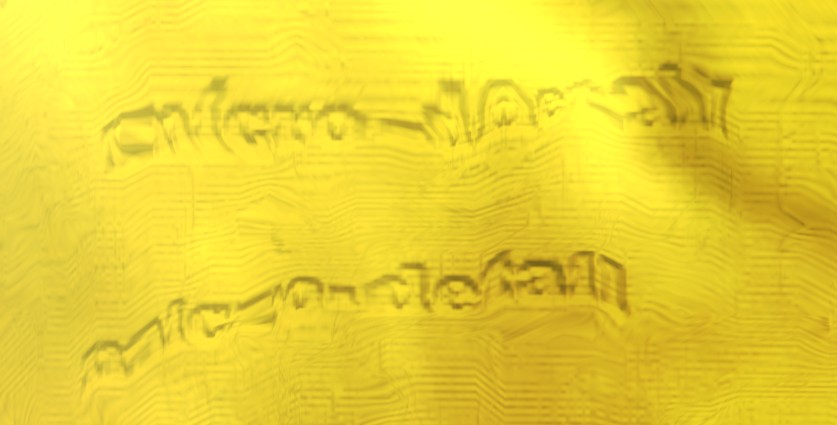
- The wavy pattern inside the Conjured Doorway frame contains text. It reads "micro-detail".
See also[edit]
External links[edit]
- Homestead Essentials: Living in Janthir Wilds, GuildWars2.com
- A First Look at Homesteads: Exclusive Preview from PC Gamer, GuildWars2.com
- Guild Wars 2's new player housing will add a hang-out for your alts, a stable for your mounts, and comes with a massive overhaul to the decorations system, pcgamer.com
- Guild Wars 2 Community Homestead Showcase - Welcome Home, Youtube.com
References[edit]
- ^ Announcing Guild Wars 2: Janthir Wilds, GuildWars2.com
- ^ a b c GW2 Janthir Wilds: Exklusive Info, buffed.de
- ^ a b c d e Guild Wars 2's new player housing will add a hang-out for your alts, a stable for your mounts, and comes with a massive overhaul to the decorations system, pcgamer.com
- ^ Announcing Guild Wars 2: Visions of Eternity, GuildWars2.com
- ^ Home Improvement: A New Homestead Arrives with Guild Wars 2: Visions of Eternity, GuildWars2.com
- ^ Homestead Essentials: Living in Janthir Wilds, GuildWars2.com
- ^ Change Up Your Homestead with New Sky Customizations!, GuildWars2.com
- ^ Tweet by Joel Eckert, x.com