Hero panel
 This article is about the user interface. For the achievement, see Hero (achievements). For the NPC, see Hero (NPC).
 The hero panel (default H) is a user interface element which displays information about the character and account and provides extensive character customization options.
Overview[edit]
 Equipment: This tab gives an outline of the character and allows the player to see and change the equipment used. There are twelve sub tabs to this tab:
- Equipment — displays items in the character's inventory, current equipment (armor, weapons, trinkets, and gathering tools), and character information (name, level, profession, attributes).
- Fishing — allows players to preview, change and equip lures and baits.
- Novelties — allows players to select and equip novelties, like musical instruments, chairs, kites and toys as well as to see the available unlocked items.
- Jade Bot — allows players to equip power cores and, while next to a jade bot workbench, additionally sensory array and service chip modules.
- Miniatures — allows players to select miniatures that follow the character.
- Finishers — allows players to select the finisher used.
- Mail Carriers — allows players to select the mail carrier used when sending mail to players or receiving game mail.
 Fashion: This tab gives an outline of the character's appearance and allows the player to see and change the skins and dyes used. There are two sub tabs to this tab:
- Wardrobe — allows for managing and applying fashion templates (consisting of a set of skins and dyes for armor, weapons, back items, and outfits) to the current equipment.
- Travel — allows for managing and applying templates used for the travel related features: glider, mounts, skiff, and conjured doorway.
- Tools — allows changing the skins used for the equipped tools: gathering tools (foraging, logging, mining), fishing rod, and jade bot.
 Build: used to equip skills and traits.
- Weapon Skills — shows the character's weapon and downed skills available.
- Slot Skills — shows the character's healing, utility, and elite skills.
- Terrestrial — show the skills for on-land combat
- Aquatic — shows the skills for underwater combat
- Traits — shows the character's traits.
- Build Storage — shows the account's stored build templates.
 Training: used to unlock skills and traits with hero points.
 Story Journal: show the character's progress in the Personal Story and Living World.
 Crafting: shows the character's crafting disciplines and all learned recipes.
 Achievements: shows the account's progress with achievement categories.
- Achievement rewards — bonus rewards for earned achievement rewards when a threshold is reached.
- Titles — lists available titles and allows the character to display one.
- Account bonus — increases account gold find, karma gain, experience gain, and magic find.
 Masteries: lists all available Central Tyria and expansions mastery tracks, and allows the choosing of one specific track to train as well as the allocation of available mastery points.


Gallery[edit]
- Equipment
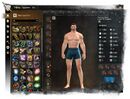
Equipment tab
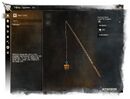
Fishing tab
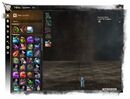
Novelties tab
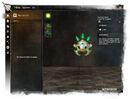
Jade Bot tab
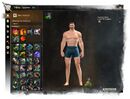
Miniatures tab
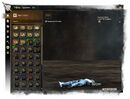
Finishers tab
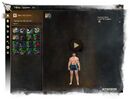
Mail Carriers tab


- Fashion
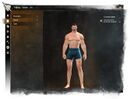
Fashion tab
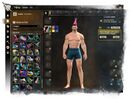
Wardrobe tab
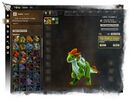
Travel tab
Tools tab


- Build
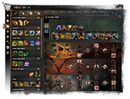
Weapon Skills tab
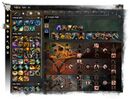
Slot Skills tab
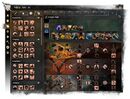
Traits tab
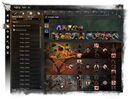
Build Storage tab
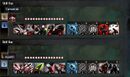
Terrestrial and Aquatic utility skills selection


- Other
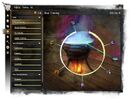
Training tab
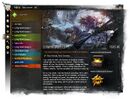
Story Journal tab
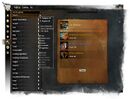
Crafting tab
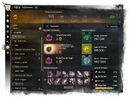
Achievements tab
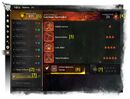
Masteries tab


- Historical
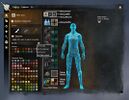
Dyes tab (combined to each Fashion)
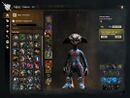
Wardrobe tab (combined to Fashion: Wardrobe)
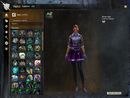
Outfits tab (combined to Fashion: Wardrobe)
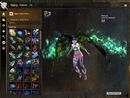
Glider Skins tab (combined to Fashion: Travel)
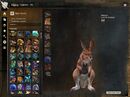
Mounts tab (combined to Fashion: Travel)
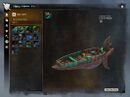
Skiffs tab (combined to Fashion: Travel)
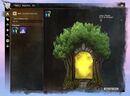
Conjured Doorways tab (combined to Fashion: Travel)
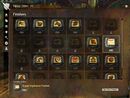
Old version of the Finishers tab.


Notes[edit]
- Historical
- Combined into the Fashion tab with Guild Wars 2: Visions of Eternity: Raids and Wardrobe and the subsequent update The Only Way.
- Dyes — allows dye to be applied to the currently equipped glider, mount and skiff skin.
- Glider Skins — allows players to preview gliders as well as to select which glider they want to use when gliding.
- Mounts — allows players to preview mounts as well as to change the mount to a skin from the available unlocked skins.
- Fishing — allows players to preview, change and equip fishing rod skins, lures and baits.
- Skiffs — allows players to preview and change skiff skins.
- Conjured Doorways — allows players to select a skin used for summoning door that grants access to a player's Homestead.
- Removed with the release of Guild Wars 2: Secrets of the Obscure
- Achievements: Login rewards — earned by login into the account each day.


